
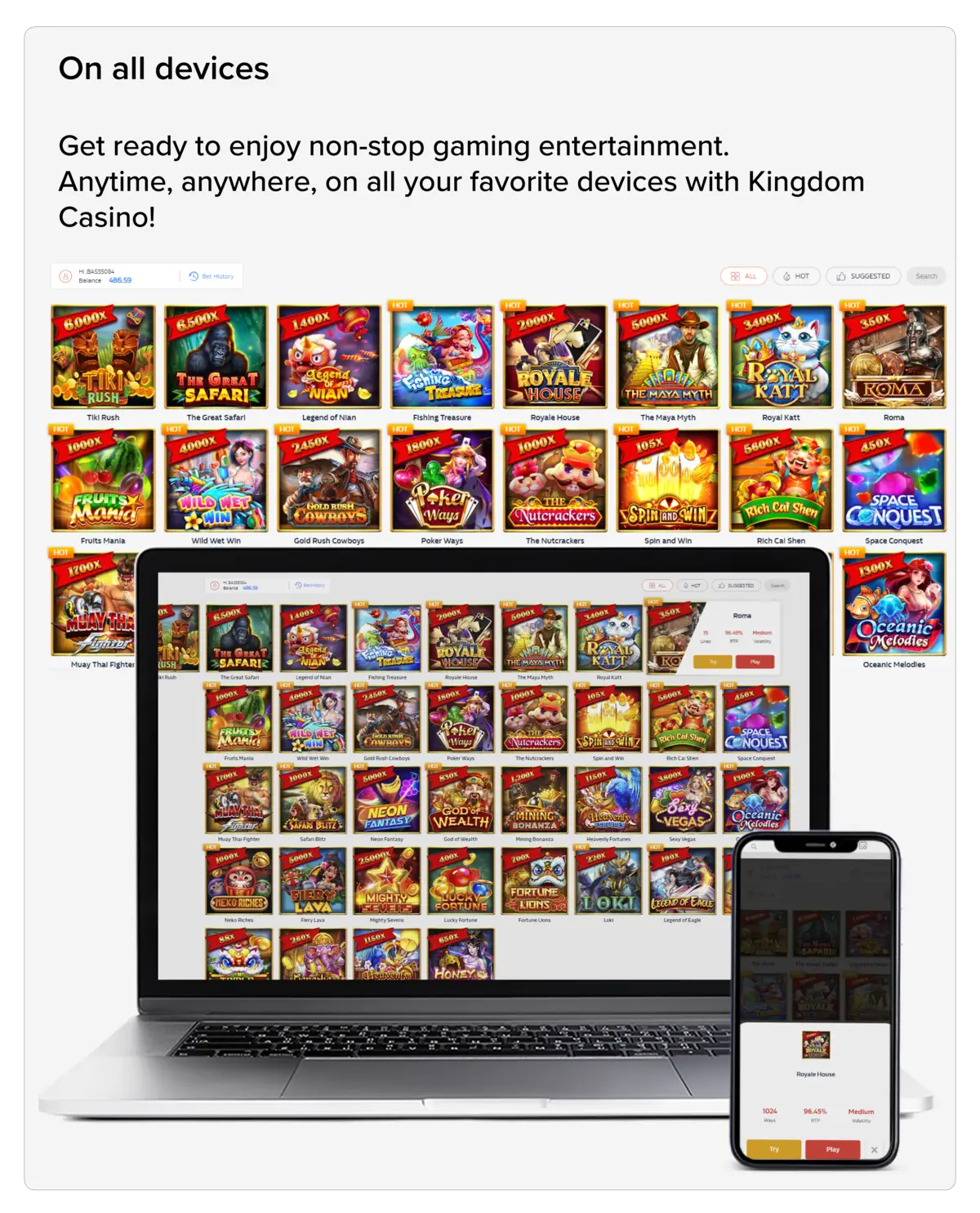
I’m revealing everything I’ve discovered about mobile casino gaming in Canada, with a special focus on the Casino Kingdom app pour iphone. If you’re new to mobile play or seek to upgrade your experience, this guide covers download steps, device compatibility, top features, and safety measures. I’ve invested countless hours evaluating casino apps, and I know what makes a platform reliable and fun. I’ll take you through everything I’ve learned along the way.
Why Mobile Casino Gaming Is the Future
Mobile casino gaming has changed how Canadians engage with slots, blackjack, and roulette. With a smartphone or tablet, you can game anywhere, anytime—no desktop needed. It’s difficult to beat the convenience, and modern apps offer the same crisp graphics and smooth gameplay you’d expect from a computer. Secure payment options and instant bonuses also render mobile play a solid pick for casual and seasoned players alike. I’ve been betting on mobile for years, and the experience keeps getting better.
The Casino Kingdom app is a great example of this shift. I’ve found that using a dedicated app instead of a browser minimizes load times and lessens lag. The app adapts to the smaller screen without cutting features, so you get full access to game lobbies, account management, and customer support right from your pocket. I can do everything I need from my phone.
Staying Safe and Safe While Playing
When I play real-money games on mobile, security is my top concern. The Casino Kingdom app uses SSL encryption and two-factor authentication to shield my personal and financial data. I always ensure I’m on a private Wi-Fi network or my Canadian carrier’s secure data plan. It helps that the platform is licensed and regularly audited by independent bodies. I never worry about my details leaking.
I also maintain the app updated. New versions often introduce security patches and bug fixes. Never acquire APK files from unofficial sources—they can jeopardize your device. With the official Casino Kingdom app, I’m confident my information stays safe. The app never asks for unnecessary permissions, and I always examine what data it accesses. I verify for updates weekly.
Personal Recommendations for a Flawless Mobile Gameplay
After years of mobile gaming, I’ve cultivated a few habits that boost performance. I always close background apps to free up memory before launching Casino Kingdom. This basic step reduces lag and keeps the battery from running out too fast. I also connect my device if I’m expecting a long session, as live dealer games can be demanding. That way, I don’t run out of charge at a key moment.
Managing notifications is another tip. I enable push alerts for exclusive bonus flashscore.com drops but disable other sounds so I can focus. Using a comfortable pair of noise-cancelling headphones amplifies the live dealer atmosphere. I also set a session reminder to maintain my playtime balanced and enjoyable. A soft alert after an hour assists me remain disciplined and uphold a healthy gaming habit.
I believe this guide supports you start out on your mobile device. Casino Kingdom has rendered my gaming convenient and protected, and I feel you’ll appreciate the freedom it gives. With intuitive controls and a extensive game library, every session is rewarding. I’ve had a great time, and I’m sure you will too. Play responsibly and have fun.

Common Questions
Typical Questions About Casino Gaming on Mobile
Beginning using the Casino Kingdom Mobile App
Is it possible to install the Casino Kingdom mobile app on an Android device?
Certainly, you can. Head to the official Casino Kingdom site via your mobile browser, go to the app section, and install the APK. You may need to permit installation of apps from unknown sources under your device settings. I have done this using a Samsung Galaxy, and the application runs without issues. Be sure to use the legitimate site to prevent safety concerns.
Is it compatible with iOS for Canadian users?
Certainly. You can locate the Casino Kingdom app right on the Apple App Store. It’s free and operates on iPhones and iPads with iOS 13.0 or newer. I have used it using my iPhone, and the download and login happened instantly. The application supports Face ID and fingerprint login for fast, safe access.
Which games can be played through the mobile application?
The app features an extensive range: slot machines, blackjack, roulette, baccarat, and video poker. I also enjoy the live casino tables where I communicate with real croupiers. All titles are optimized for touchscreen use, and progressive jackpots are completely included. The gaming lobby is updated regularly with new releases, and I’m able to filter by game type or developer. There’s always something new to test.
Is my financial activity secure on mobile?
Yes. Casino Kingdom uses SSL encryption to protect all deposits and withdrawals. I’ve used Interac, Visa, and e-wallets without any problems. The app also supports two-factor authentication for added login security. I always double-check that I’m on a secure network before banking. The cashier process is the same as the desktop version, just simplified for touch. I’ve never had a problem.
Are bonuses available via the mobile app?
Certainly. I claim welcome bonuses, free spins, and reload offers right from the promotions tab. Some promotions are even exclusive to mobile users. Always read the terms, but I find the wagering requirements are clearly shown. Claiming a bonus takes just a tap, and the funds appear instantly in my account. It’s that easy.
Is the app heavy on battery usage?
Like any graphic-heavy app, Casino Kingdom can deplete the battery during long sessions. I recommend lowering screen brightness and closing background apps. Battery saver mode helps too. On my iPhone, an hour of slots uses about 15-20% battery, which is reasonable. Keep a charger nearby for live dealer games. I’ve never been caught off guard.
What steps should I take if the app freezes or crashes?
Confirm you’re using the latest version. I shut down and reopen the app, which typically remedies minor glitches. Clearing the app cache in your device settings can also help. If issues continue, I get in touch with Casino Kingdom’s customer support via live chat, which is available inside the app 24/7. They’ve consistently been responsive and helpful. I’ve rarely experienced delays.
Device compatibility and System Requirements
Before I install, I always check device compatibility to ensure the Casino Kingdom app performs optimally. The app operates on a broad selection of modern smartphones and tablets, but older hardware might struggle. Here are the ideal specifications I’ve compiled from my own experience and official support guides. I’ve detailed them below.
- Android 8.0 (Oreo) and above with at least 3GB of RAM.
- iOS 13.0 or later on iPhone, iPad, and iPod touch.
- A reliable 4G/LTE or Wi-Fi connection with a required download speed of 5 Mbps.
- Display resolution of 720p or higher for maximum visual clarity.
- At least 500MB of free space to install the app and cache games.
I’ve used the app on widely used Canadian devices like the Samsung Galaxy S21, Google Pixel 6, and iPhone 13 without a problem. Tablets like the iPad Air and Samsung Galaxy Tab S7 also provide a excellent experience on larger screens. The touch controls are responsive, and I never had a glitch. The app works without issues on Rogers, Bell, and Telus networks, even in areas with average signal. I’ve tested it on all three carriers, and it works great.
Getting the Casino Kingdom App for Your Device
Getting the Casino Kingdom app onto your phone is simple, but I always stick to the official process to avoid third-party risks. The app isn’t in every region’s public app store, so I’ll demonstrate you the right way for either Android and iOS. That way you receive the latest version with all security patches. It takes just a few minutes, and you’ll be gaming in no time.
- Go to the official Casino Kingdom website from your mobile browser.
- Tap the “Mobile” or “App” section in the main menu.
- Pick the Android download link and start the download of the APK file.
- Before installing, activate “Install from Unknown Sources” in your device settings if required.
- Open the downloaded file and follow the on-screen instructions to complete installation.
For iOS devices like iPhone and iPad, the process is more straightforward. Just go to the Apple App Store and look for “Casino Kingdom” – the official app is confirmed and free of charge to download. Once downloaded, log in with your existing account or set up a new one. The app supports Touch ID and Face ID for quick access, so signing in is fast. I’ve tried it on an iPhone 14 and the login was smooth.
Top Features of the Casino Kingdom Mobile App
The Casino Kingdom mobile app includes everything I enjoy about the desktop site into a handheld format. It’s not a stripped-down version – you get the full library of games, live dealer tables, and exclusive mobile promotions. I can switch between portrait and landscape mode without a hitch, and the interface responds to my swipes and taps. Here are the notable features I’ve come to trust:
- Over 500 slots, table games, and progressive jackpots designed for touch screens.
- Live dealer blackjack, roulette, and baccarat presented in high definition.
- Instant-play mode and downloadable titles for offline-friendly access to select games.
- Secure in-app banking with Interac, credit cards, and e-wallets tailored for Canadian players.
- Mobile-only bonuses and free spins that I claim directly from the app’s promotions tab.
Beyond the game selection, I appreciate the app’s personalization options. I can set deposit limits, adjust sound and notification preferences, and mark preferred games for quick access. The search function makes finding specific titles effortless, saving me time during short gaming sessions. I can even filter games by provider, theme, or volatility to quickly find the experience I want. The lobby is structured, and new releases are visibly featured so I never miss out.


